Selecting Your Ideal Tax Deduction Tracking Solution
For freelancers, small business owners, and individuals navigating the complexities of personal tax filings, keeping a precise record of deductible expenses is a foundational yet often burdensome task. An organized approach can translate directly into significant financial savings and reduced audit risk. In this landscape of digital spreadsheets, dedicated accounting software, and physical ledger books, the concept of a templated, customizable tool has gained considerable traction. The Tax Deduction Tracker - Canva Template represents one such option, blending structure with flexibility.
Understanding the Tax Deduction Tracker - Canva Template
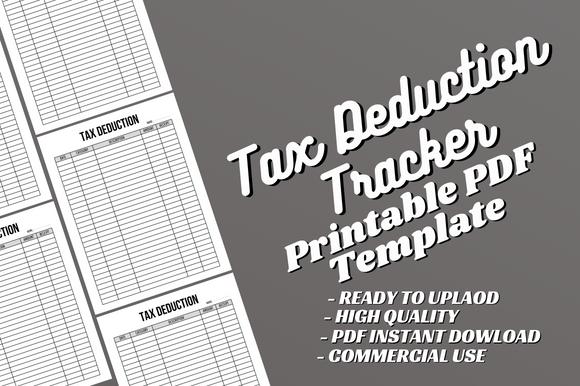
This resource is not a standalone software application but a templated design file. It is typically offered as a digital product comprising two core components: a print-ready PDF file and an editable Canva source file. The PDF is a 120-page, 8.5x11 inch document formatted as a logbook or planner, with pre-designed sections for recording expenses, dates, categories, and notes. The distinct feature is the accompanying Canva file, which allows users to access the template within the Canva design platform, where they can modify text, change fonts, adjust layouts, and add their own branding or additional content before exporting their own final version.
This dual format addresses two common user intents: the need for an immediate, ready-to-use printable document, and the desire for a customizable starting point. It is explicitly designed for platforms like Amazon KDP (Kindle Direct Publishing), where individuals can publish and sell physical or digital copies, but it also serves anyone seeking a personalized tracking system without starting from a blank page.
Core Characteristics and Typical Use Cases
The template's specifications reveal its practical orientation. The "No Bleed" detail indicates it's suited for standard interior pages without requiring complex print margins, making it accessible for home printing or basic digital distribution. Its strength lies in its structured yet adaptable framework. For example, a freelance graphic designer might use the editable Canva file to rename expense categories to better match their client project costs, while a rental property owner might use the ready PDF immediately to start logging maintenance receipts.
A primary consideration is that it is an *interior only* product. This means it provides the pages of the logbook, but not the front or back cover. Users intending to publish a complete book on KDP must create or source covers separately, which is a standard practice in that marketplace but an important factor for those comparing fully finished products to modular components.
Comparing Tracking Formats: Digital Apps, Spreadsheets, and Templates
Evaluating the Tax Deduction Tracker - Canva Template requires placing it within the broader ecosystem of tracking methods. Each approach carries different tradeoffs in cost, convenience, control, and complexity.
Dedicated tax or accounting software, often subscription-based, offers automation, direct integration with bank accounts, and tax form preparation. These are powerful for complex finances but can be costly and may overwhelm users with only a moderate number of deductions to track. Their data is digital and searchable, but customization of the tracking interface itself is usually limited.
Spreadsheets (like Excel or Google Sheets) offer near-total customization and powerful calculation features. Building a robust tracker from scratch, however, requires time and design skill. A pre-built spreadsheet template could be an alternative, but it might not offer the same print-ready, book-like formatting as the Tax Deduction Tracker PDF for those who prefer a physical record.
Physical pre-made logbooks purchased off the shelf provide simplicity and tangibility. Their limitation is fixed design; you cannot alter the categories or layout if your needs are unique. The Tax Deduction Tracker - Canva Template sits between these worlds. It provides the tangible, page-based format of a physical logbook, but through the Canva file, it allows for design adjustments before you commit to printing or publishing. This is its key distinction.
Strengths and Potential Limitations
The template's main strengths are its adaptability and creator control. For someone with basic design comfort in Canva, it's a foundation that can be tailored to specific industries—perhaps adding sections for mileage logs or home office square footage calculations. The instant availability of a complete PDF is also a benefit for those who need to start logging immediately without any edits.
Potential limitations stem from its hybrid nature. It is not an automated digital tool; it requires manual entry. The customization happens in the design phase, not dynamically during use. If your deduction categories change mid-year, you cannot easily modify a already-printed PDF book; you would need to edit the Canva file and print a new version. Furthermore, while Canva is user-friendly, editing a 120-page document within it requires a methodical approach and is a different task than simply filling out a pre-existing book.
Identifying the Best Fit: When This Template Makes Sense
The decision to use this specific template hinges on a user's priorities in terms of format, customization needs, and technical comfort.
It is a strong candidate for individuals or micro-businesses who prefer a paper-based or printable system but want it tailored to their specific terminology. It is also highly relevant for content creators and entrepreneurs looking to publish a tax deduction logbook as a product on KDP or similar platforms, as it provides a tested, ready-to-modify interior. A third ideal use case is for someone who has found generic logbooks lacking and wants a structured starting point for creating their own perfect tracker without building every page from scratch.
When Alternative Options May Be More Suitable
If your primary requirement is real-time digital synchronization with financial accounts or automated calculation of totals, a dedicated app or software will be more effective. Similarly, if you anticipate needing complex formulas, pivot tables, or dynamic charts alongside your deduction log, a spreadsheet—perhaps using a pre-built financial template—would be the more powerful route.
For users who desire a physical book but have no need for customization and value immediate, low-cost availability, a standard off-the-shelf tax deduction planner from a bookstore or online retailer might suffice, eliminating the editing step altogether. The choice ultimately balances the value of customization against the convenience of a fully finished, automated, or simpler product.
Key Decision Factors for Your Tracking System
When researching solutions, consider these practical aspects beyond just features:
- Entry Method Preference: Do you favor writing manually on paper, typing into a printable PDF, or inputting data into a digital app?
- Customization Need: Are standard deduction categories (e.g., "Office Supplies," "Travel") sufficient, or do you require specific fields like "Client Reimbursable Expenses" or "Equipment Depreciation"?
- Output Goal: Is the end goal simply your own organized records, or are you creating a product to sell or share with others?
- Technical Process: Are you comfortable using a design platform like Canva to modify a template, or do you prefer tools that require no design steps?
- Cost Structure: Comparing a one-time template purchase to ongoing software subscriptions or the time cost of building your own system.
The Tax Deduction Tracker - Canva Template addresses a specific niche within these factors. It suits those who want a one-time cost, controllable design, and a physical/printable format. It may not suit those seeking automation or those unwilling to engage in even light design work.
Moving Forward with an Informed Choice
Selecting a tool for tracking tax deductions is about aligning the tool's capabilities with your workflow, skill set, and end objectives. The Tax Deduction Tracker - Canva Template offers a distinct path: a balance between the rigidity of a pre-made book and the open-ended potential of a digital spreadsheet. By providing both a finished product and its editable source, it empowers users who fall into that middle ground—those who see value in a structured template but require the ability to make it theirs. For other users, whose needs lean heavily towards automation, extreme digital flexibility, or absolute simplicity, the broader market offers clear alternatives. Evaluating your own position against these tradeoffs is the most reliable way to arrive at a decision that will make the annual task of deduction tracking less of a chore and more of an efficient, beneficial routine.